| scss | ||
| templates | ||
| .dockerignore | ||
| .gitignore | ||
| bun.lockb | ||
| data.go | ||
| docker-compose.yml | ||
| Dockerfile | ||
| example.jpg | ||
| go.mod | ||
| go.sum | ||
| index.ts | ||
| justfile | ||
| LICENSE | ||
| main.go | ||
| music.jpg | ||
| package.json | ||
| README.md | ||
| tsconfig.json | ||


Now
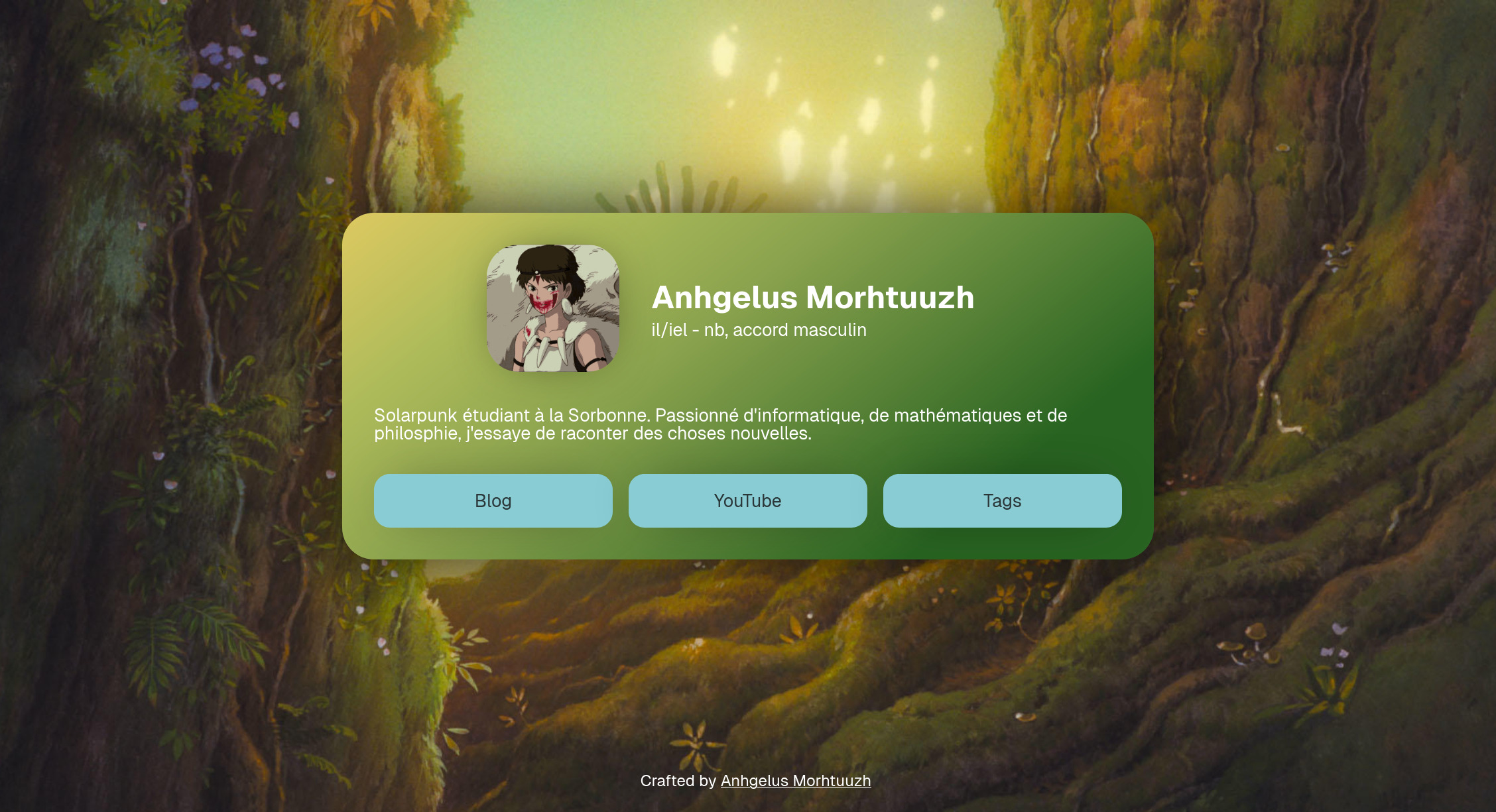
Self-hostable bio page website, like carrd, guns.lol and many more!
Lightweight and heavily customizable Go application.

Installation
Dependencies:
- Go 1.24+
- Bun
- just
Clone the repository:
git clone https://git.anhgelus.world/anhgelus/now.git
cd now
Build the project with just:
just build
You can also manually build it by reading the content of justfile and executing the command.
The now binary produced contains everything needed and can be executed on the same OS with the same arch.
Execute it with the flag -help to get the list of available options.
Config
You must have a public directory.
Everything located inside will be available at the path /static/PATH where PATH is the relative path inside the
public directory.
Main config
You can create a sample config with the flag -generate-json-config (which generates a JSON config) or with
-generate-toml-config (which generates a TOML config).
The config does not depend on the markup language: a field foo will being named foo for JSON and TOML.
The TOML format is used in this section.
Every path is relative to the public directory (except for html and config files which are relatives to the path of
the binary).
For example, wallpaper.webp is searched in public/wallpaper.webp
The root is defining the background image, the description, the file's path to the legal pages, the path to the custom
font (you can remove this if you want to use Raveo, Inter, Roboto as default fonts), the path to the configs of custom
pages and a list of all your "rel-me" links.
(The "rel-me" links are required to
verify a link on your Mastodon account, for example.)
image = "wallpaper.webp"
description = "I am a beautiful description!"
legal = "legal.html"
font = ""
custom_pages = ["custom.toml"]
rel_me_links = ["https://foo.example.org/@bar"]
The legal and custom_pages are relatives to the path of the binary.
If you are using Docker, please use a static path.
The first section is defining who you are.
image is your pfp.
It must be placed inside the public directory.
[person]
  name = "John Doe"
  pronouns = "any"
  image = "pfp.webp"

  [[person.now]]
    name = "Hello"
    description = "World"
    link = ""
    link_name = ""

  [[person.now]]
    name = "I am"
    description = "a tag"
    link = "https://example.org/foo/bar"
    link_name = "And I have a link!"
Only person.now.description is required.
If you omit a field, the content linked with it will not appear.
person.now.link_name is the link's name displayed.
Then, you define the colors of the main page.
text is the text's color.
tag_hover is the background's color of a tag when someone hover it.
colors.background defines the card's background (check the CSS property gradiant on
MDN to have more information).
colors.buttons defines buttons' colors.
[colors]
  text = "#fff"
  tag_hover = "#000"
  [colors.background]
    type = "linear"
    angle = 141

    [[colors.background.colors]]
      color = "#a4a2b8"
      position = 0

    [[colors.background.colors]]
      color = "#3b3860"
      position = 40

    [[colors.background.colors]]
      color = "#0f0c2c"
      position = 80
  [colors.buttons]
    text = "#4c0850"
    text_hover = "#57145b"
    background = "#f399d0"
    background_hover = "#f5c0e0"
Finally, you define the link at the bottom of your card. You can have as much of these as you want.
[[links]]
  link = "/foo"
  content = "Blog"

[[links]]
  link = "https://www.youtube.com/@anhgelus"
  content = "YouTube"
Optionally, you can add webring(s) to your page.
[[rings]]
  image = "foo-ring.webp"
  link = "ring.example.org"
  name = "Foo ring"
Custom page config
You can create custom pages with a new config. It can also be a JSON or a TOML file.
The root defines the title of the page, the uri (must be unique!), the image and the description.
content is the file's path containing the content of your custom page.
title = "Foo"
uri = "/bar"
image = "wallpaper.webp"
description = "I am a beautiful description!"
content = "foo-bar.html"
The content is relative to the path of the binary.
Then, you can define custom colors.
Check Main config's colors section for more information.
The tag_hover field is useless here.
HTML content files
When you define a custom page or when you have to set the legal information, you have to specify the path of an HTML
file.
It contains the content that would be displayed in the page.
You can use all HTML common tags like h2, p and a.
(h1 is already used by the title.)
If you want to use buttons, you must follow this structure:
<nav class="links">
    <div class="link">
        <a href="/">home sweet home</a>
    </div>
    <div class="link">
        <a href="/foo">Bar</a>
    </div>
</nav>
Their style is defined by the config.
You can change their style by defining these CSS variables --text-color, --text-color-hover, --background and
--background-hover.
Technologies used
- anhgelus/golatt
- Bun